 Conference Desk
Product
One place for everyone who makes the conference
The committee, authors and reviewers, delegates and the organiser’s office each get what they need, from the same live information.
For the committee
Your committee, on the record
Most committees run on email threads and a spreadsheet. Conference Desk gives them a desk.
- Decisions and votes. Propose, discuss, vote and record the outcome, with who voted and when.
- Minutes. Kept with the decisions they record.
- Tasks. Owners, due dates and reminders, so nothing waits on one person’s inbox.
- Shared inbox. The conference mailbox, seen by the people who need it.
- Partner liaison. Every sponsor and partner conversation in one log.
- Series and editions. Next year starts from this year: tracks, settings and history carry over, even when the host changes.
Good morning, Sam
Review phase · 96 days to go
Act now
Today
This week
For delegates
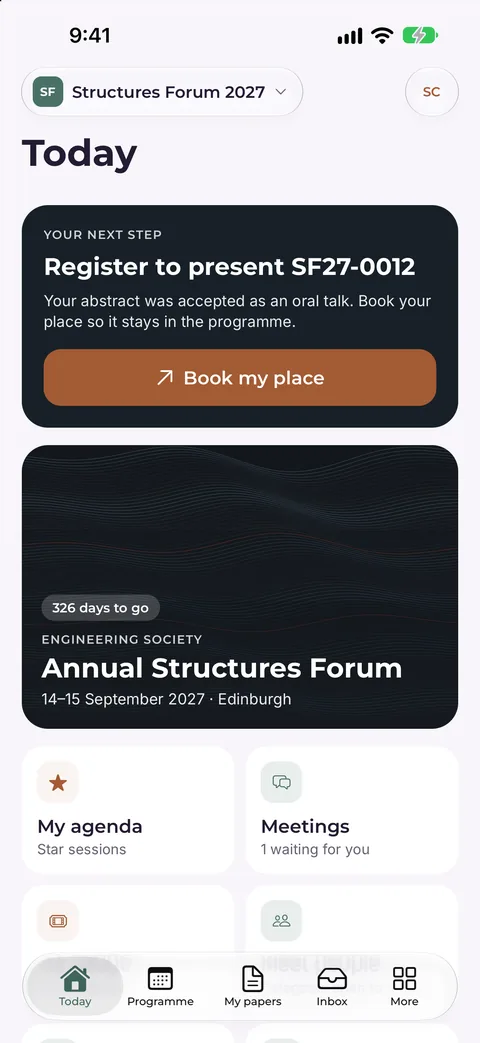
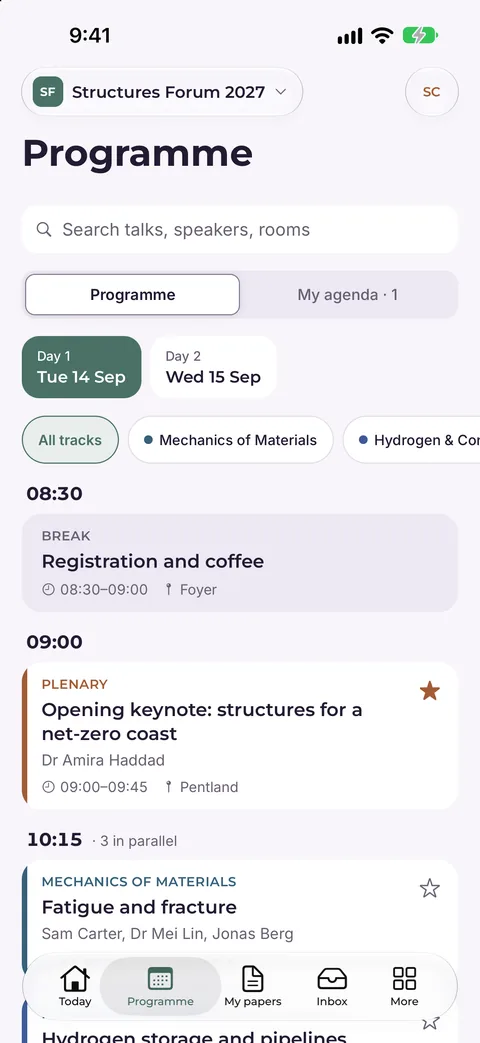
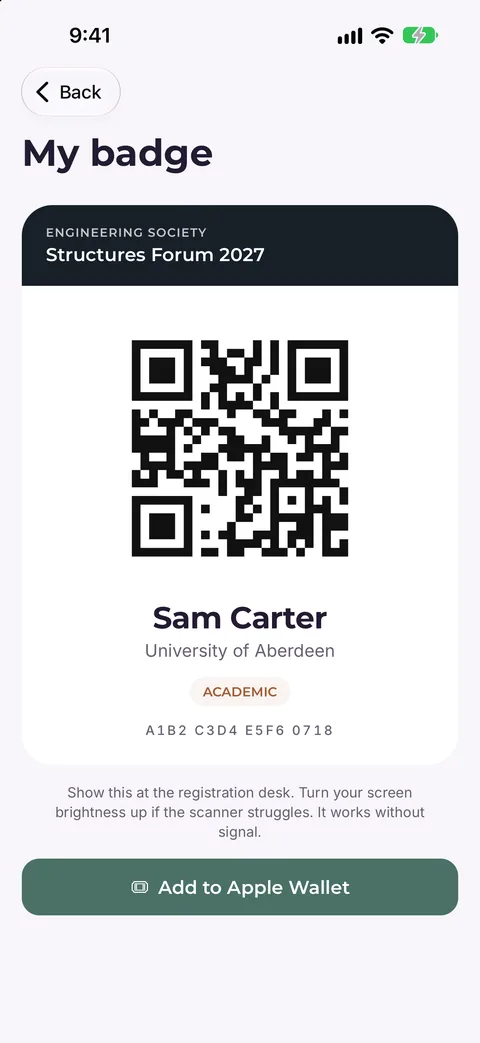
The conference in their pocket
The Conference Desk app for iPhone, with Android coming soon, under your conference’s name and colours.
- Programme. Every session, with their own schedule.
- Badge. A QR badge in the app, and in Apple Wallet on iPhone.
- Questions. Ask the speaker from the session.
- Directory and Challenge Exchange. Find the right people to meet.
- Notices. Room changes and reminders as push notifications.
- Certificates. Ready after the conference.
For the organiser’s office
Registration to certificates
The practical side, without three extra tools.
- Registration. Fee categories, dietary and access needs, and invoices. Delegates pay your conference directly.
- Programme. Sessions and parallel tracks, with a printable programme book on Conference plans and above.
- Badges and check-in. QR badges and a quick door on the day.
- Certificates. Attendance and presenter certificates with public verification.
- Your branding. Your conference’s name, logo and colour on every plan.
- Export everything. Your data, any time, in open formats.
Hello, Amira
Your next step
Register by 15 January to present RIV27-0117
Your abstract was accepted as an oral talk. Book your place so it stays in the programme.
Book my place- Profile
- Abstract
- Decision
- Register
- Visa letter
- Attend
Step 4 of 6 · Register
My abstracts
The same information everywhere
Web dashboard
Where the committee runs the conference.
Delegate portal
Registration, submissions and certificates on the web.
Conference Desk app
For delegates and the committee on the go.